People struggle to organize spontaneous plans with friends.
Group chats often lead to confusion, duplicated messages, and no clear confirmation about who’s in or out.
Existing tools (like calendars or messaging apps) are too complex or not designed for quick, casual decisions.
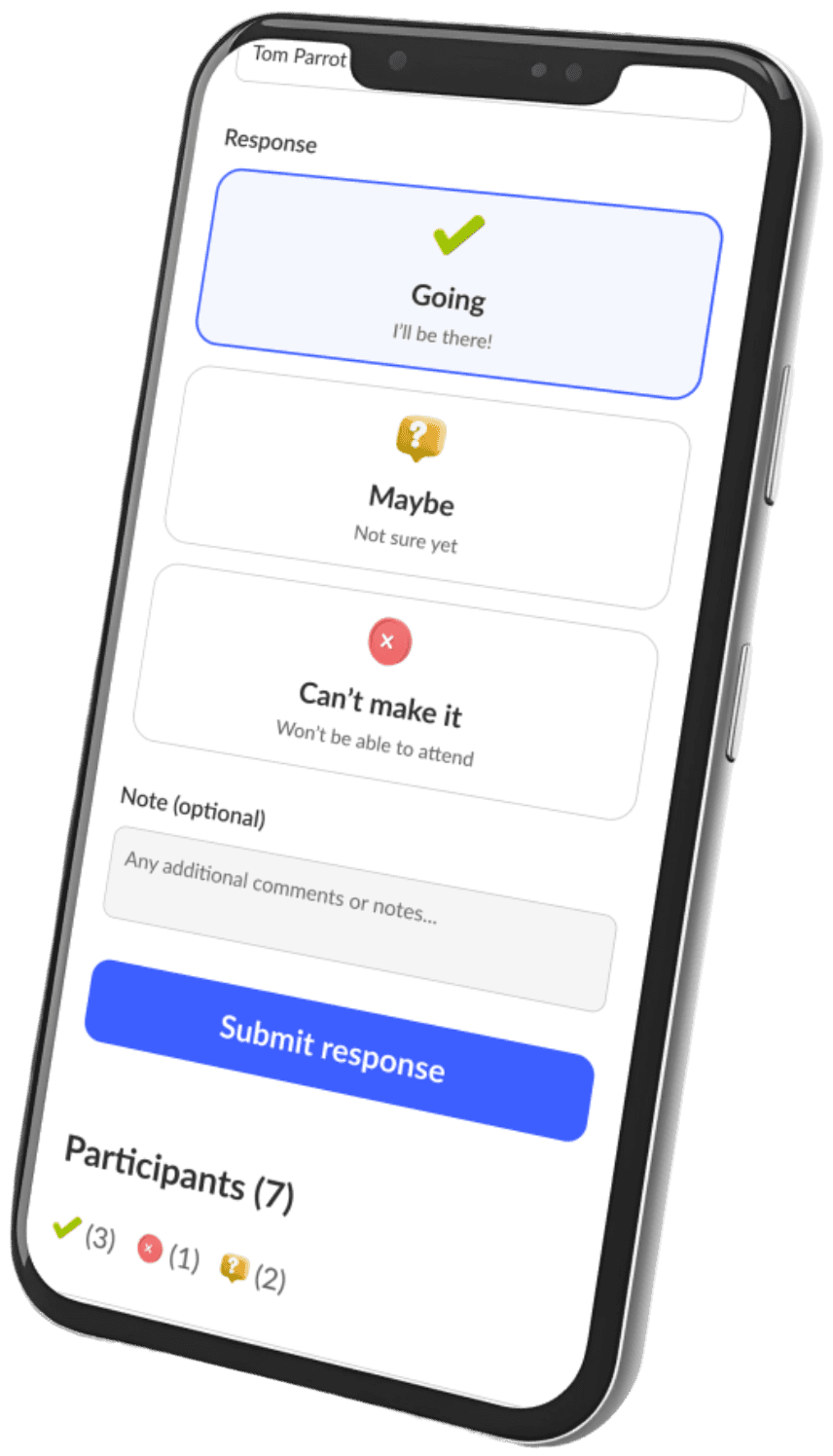
Planerty introduces a lightweight, one-tap planning experience:
Anyone can create a plan in seconds (event name, place, time).
Share the unique link with friends — no signup needed.
Friends confirm attendance instantly (“✅ Going / 🤔 Maybe / ❌ Can’t make it”).
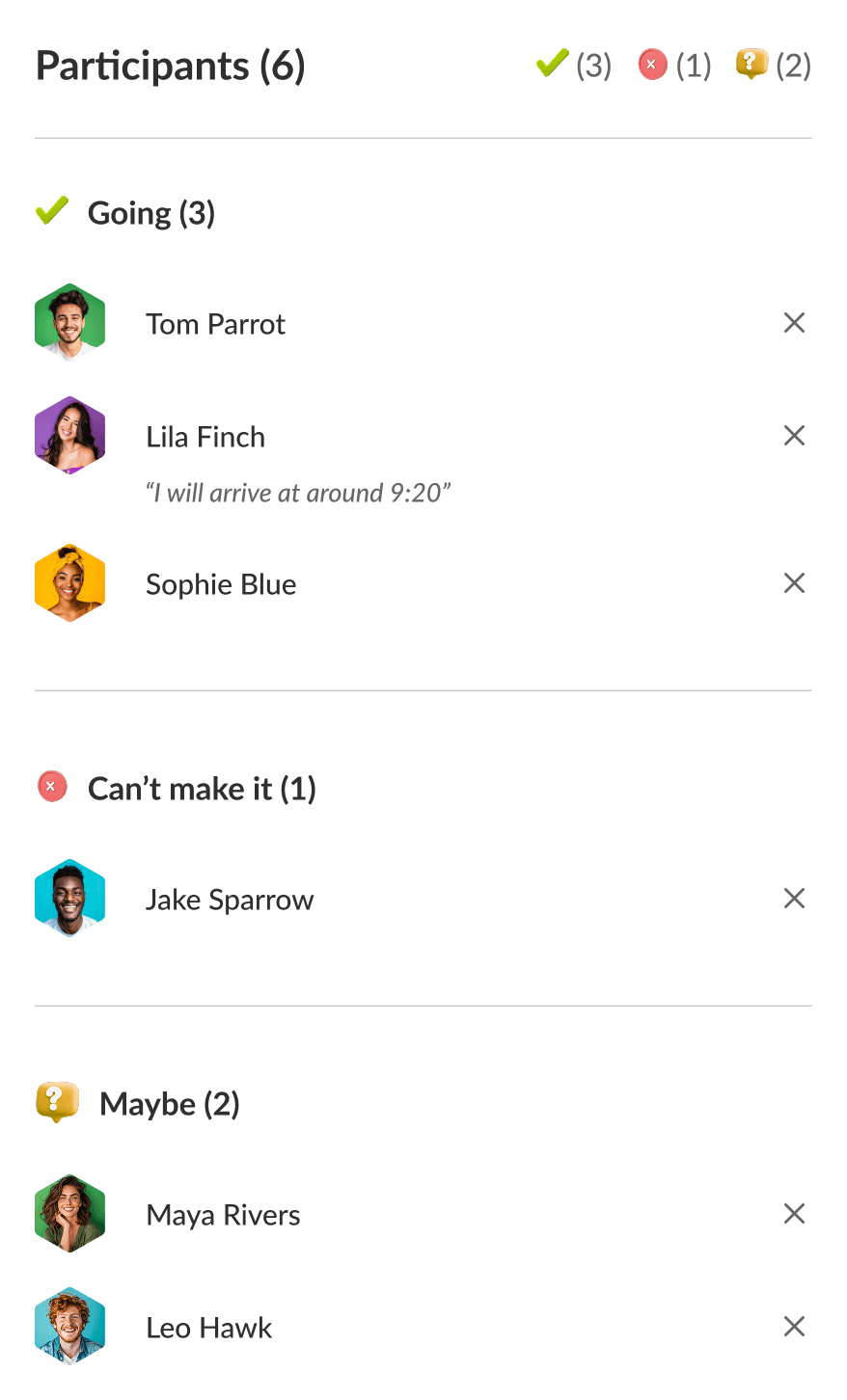
The host sees all responses live in one place.
The design focuses on clarity, speed, and zero friction, making social planning feel effortless and fun again.
Reduced planning time from hours of chat coordination to under one minute.
Created a sense of togetherness and accountability — friends can see who’s joining and react quickly.
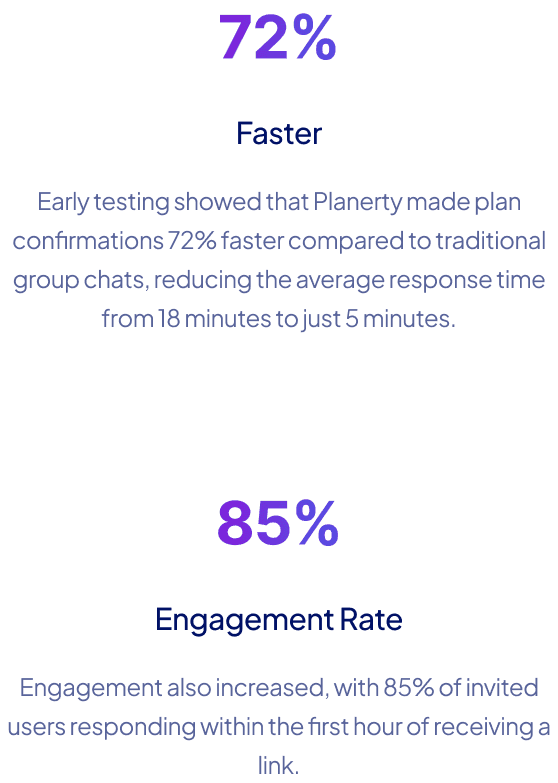
Validated through early user testing: 90% of testers said they would use Planerty for real plans.
Sets the foundation for scalable features like notifications, recurring plans, and group chat integration.

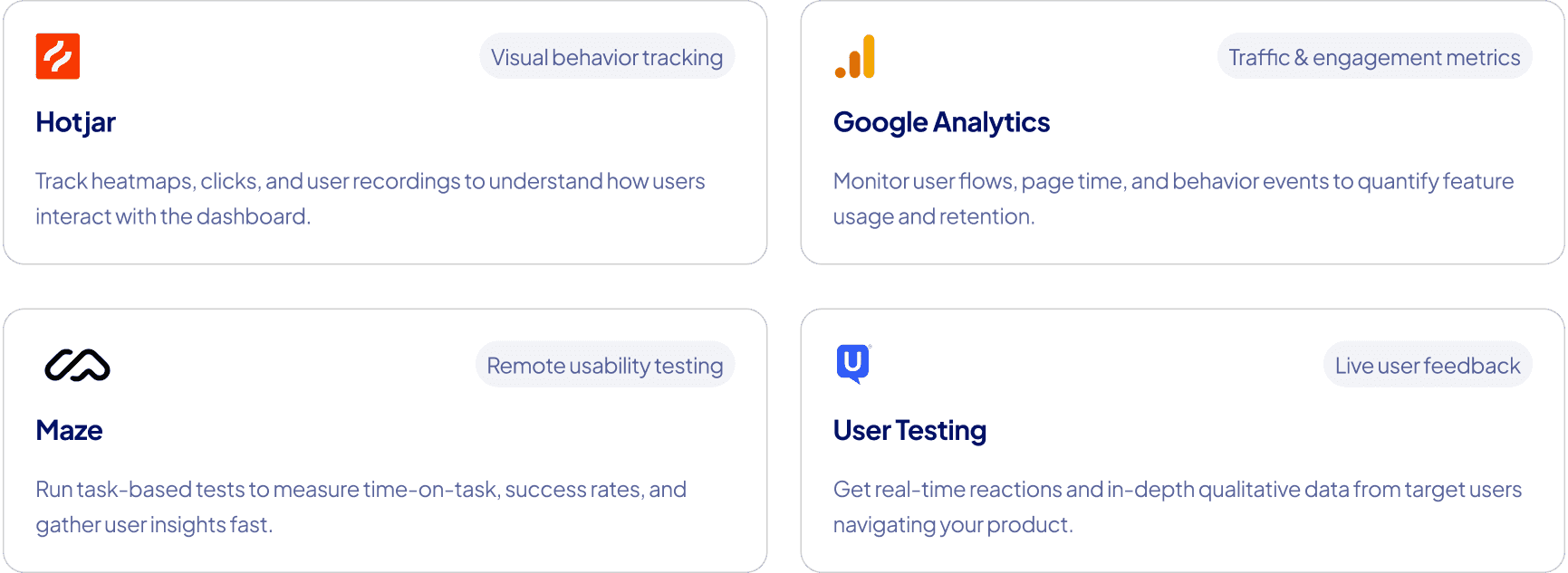
Some Tools for Measuring Impact
Figma
Design
Chat GPT 5
AI Generator
Loveable
AI Design Ideation
Readdy
AI Design Ideation

Bolt
AI Design Builder
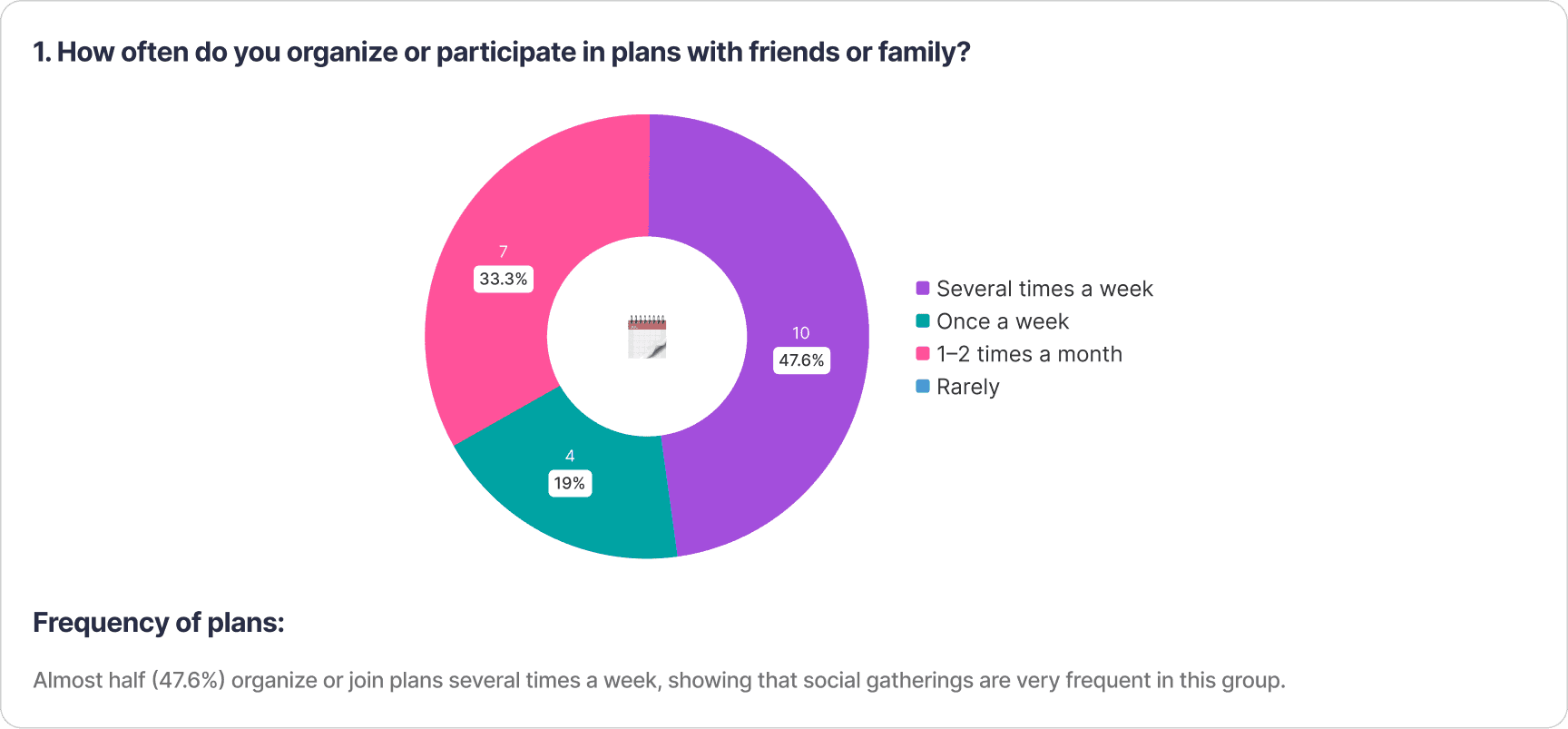
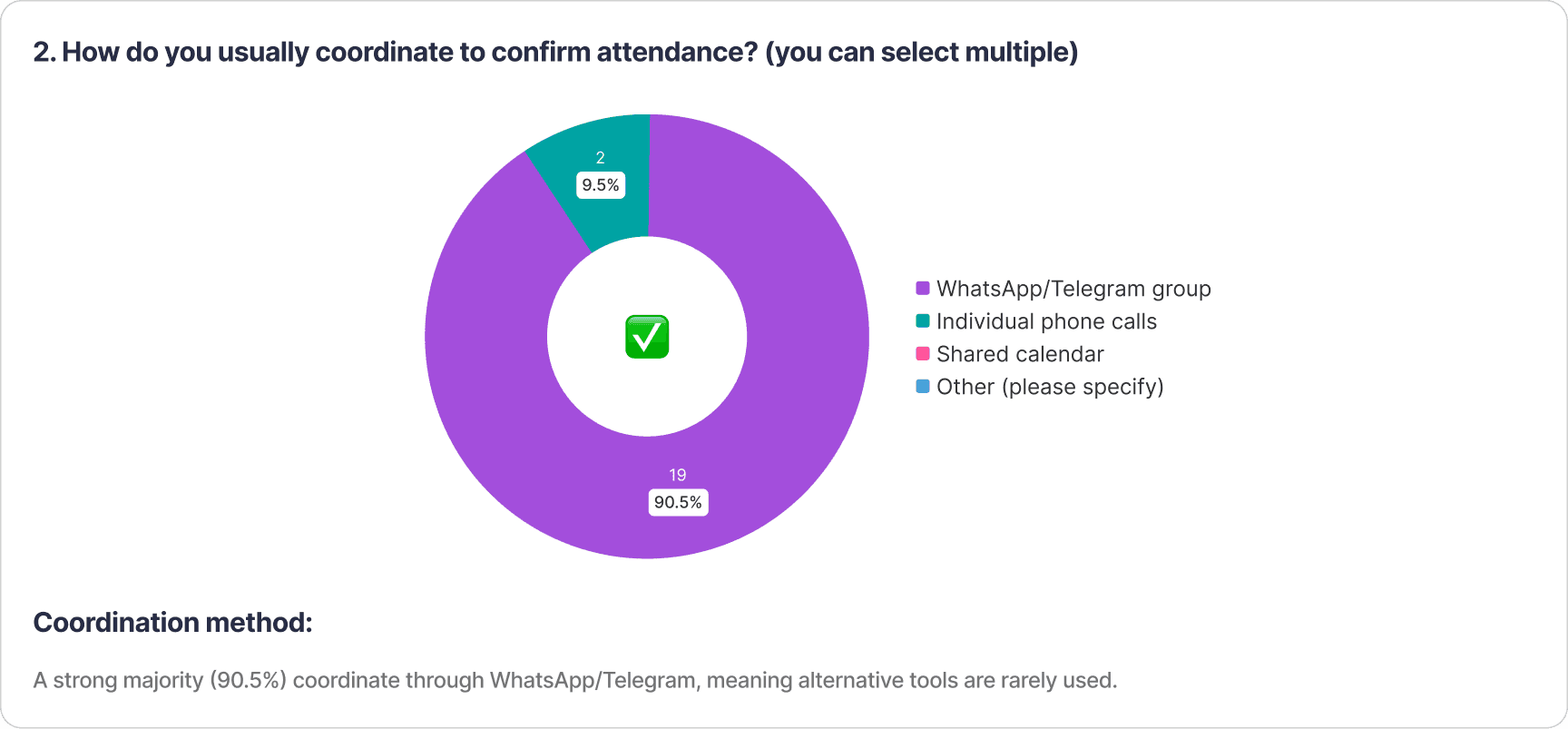
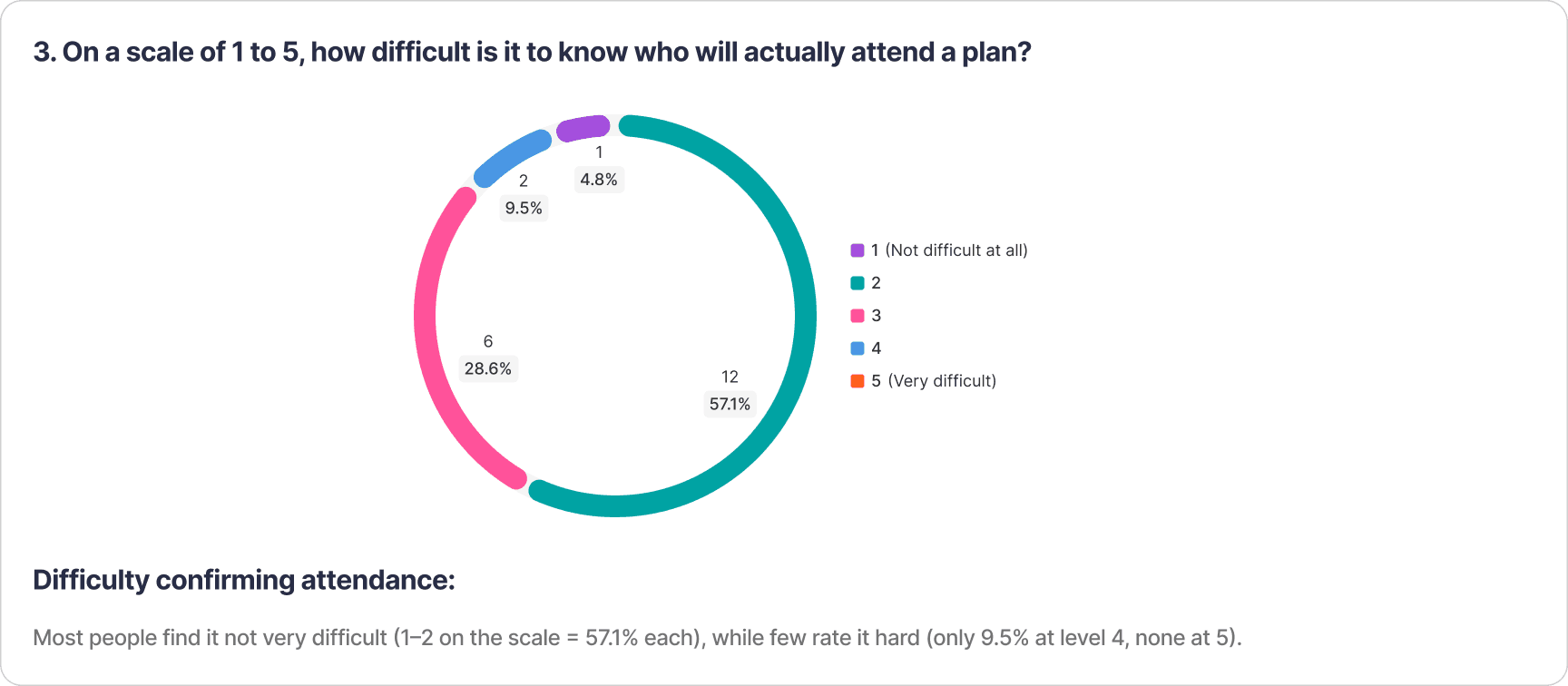
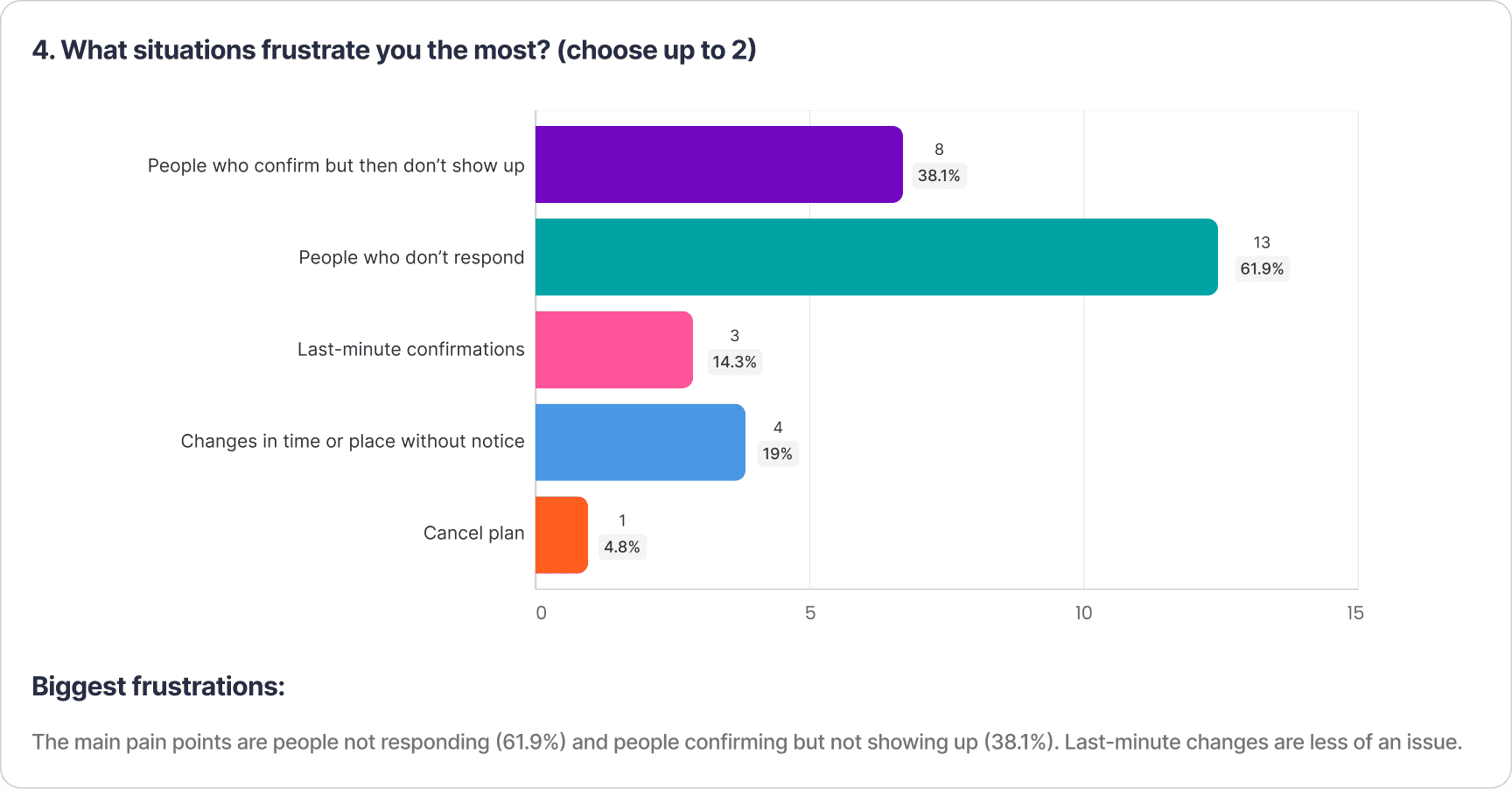
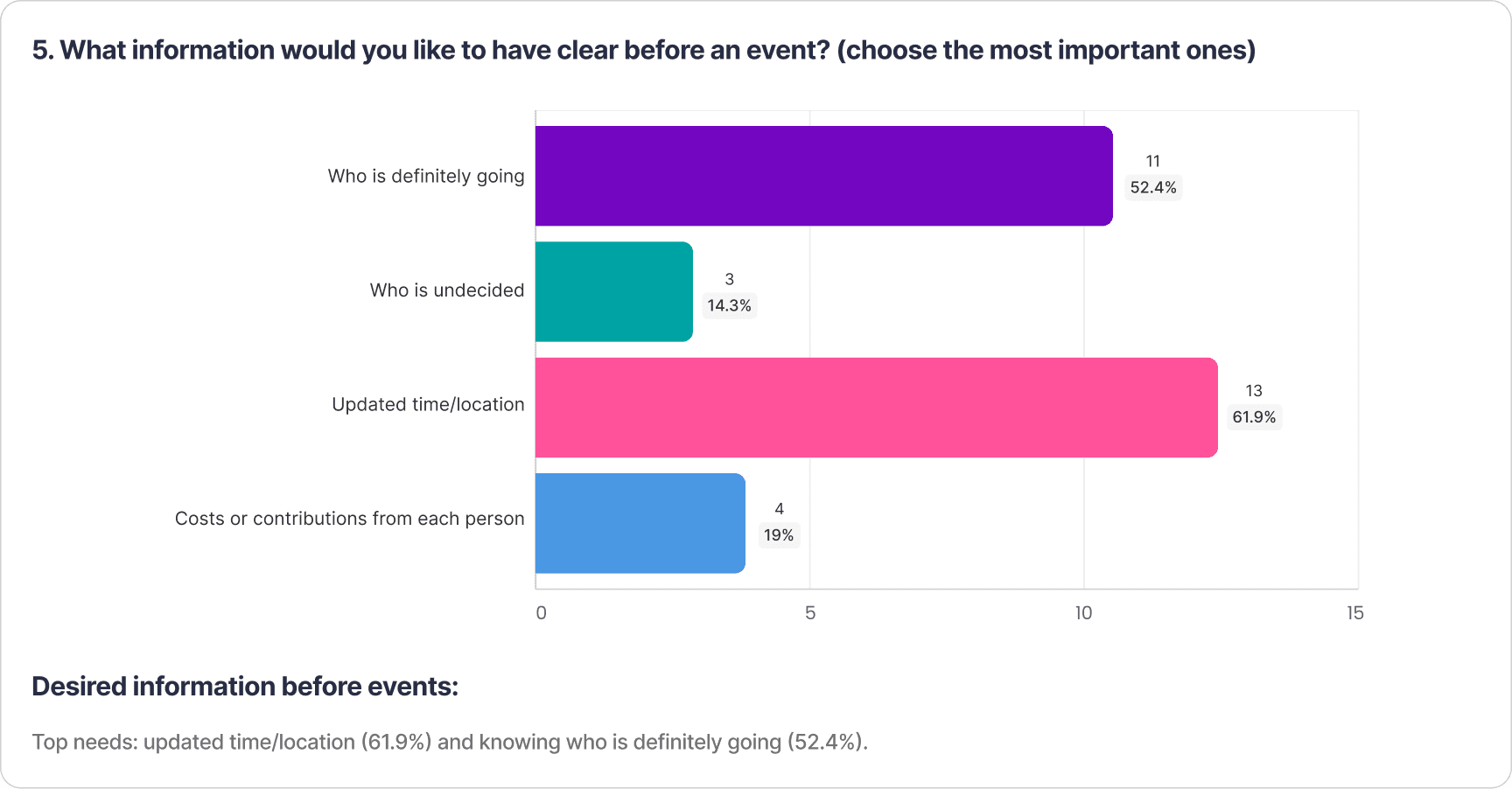
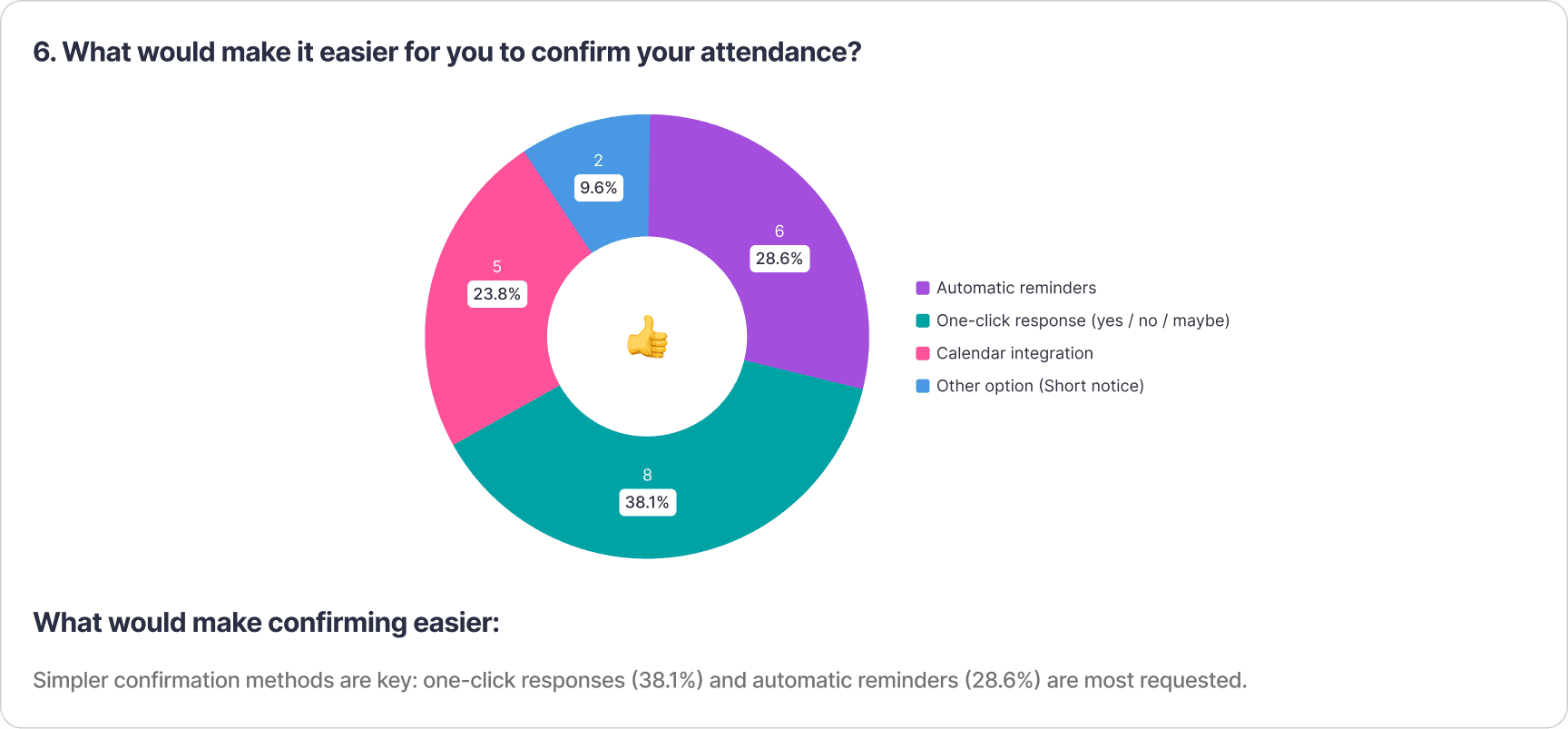
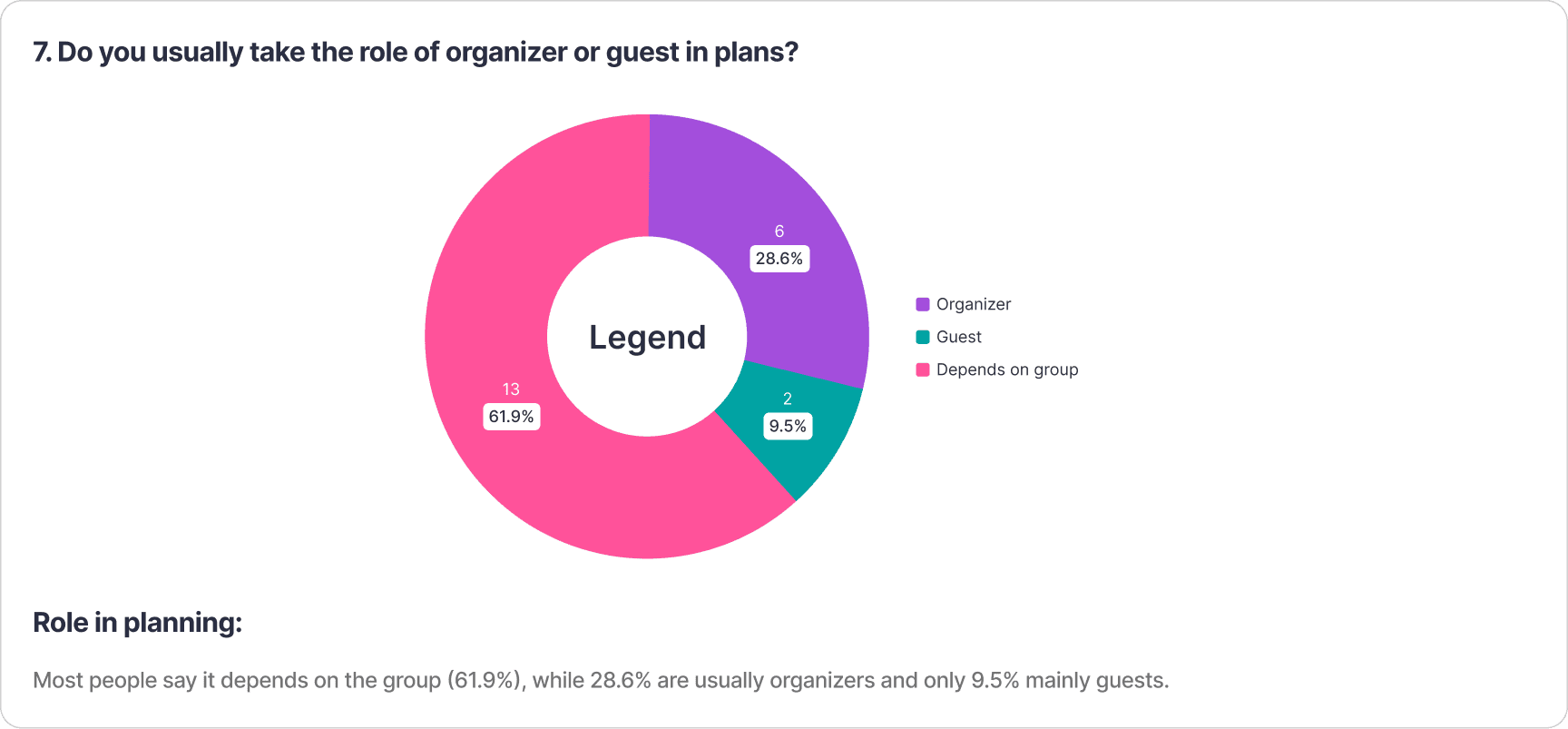
This section summarizes how people organize social plans, the challenges they face, and what features they value most when confirming attendance.
Survey Results: Attendance & Coordination Habits
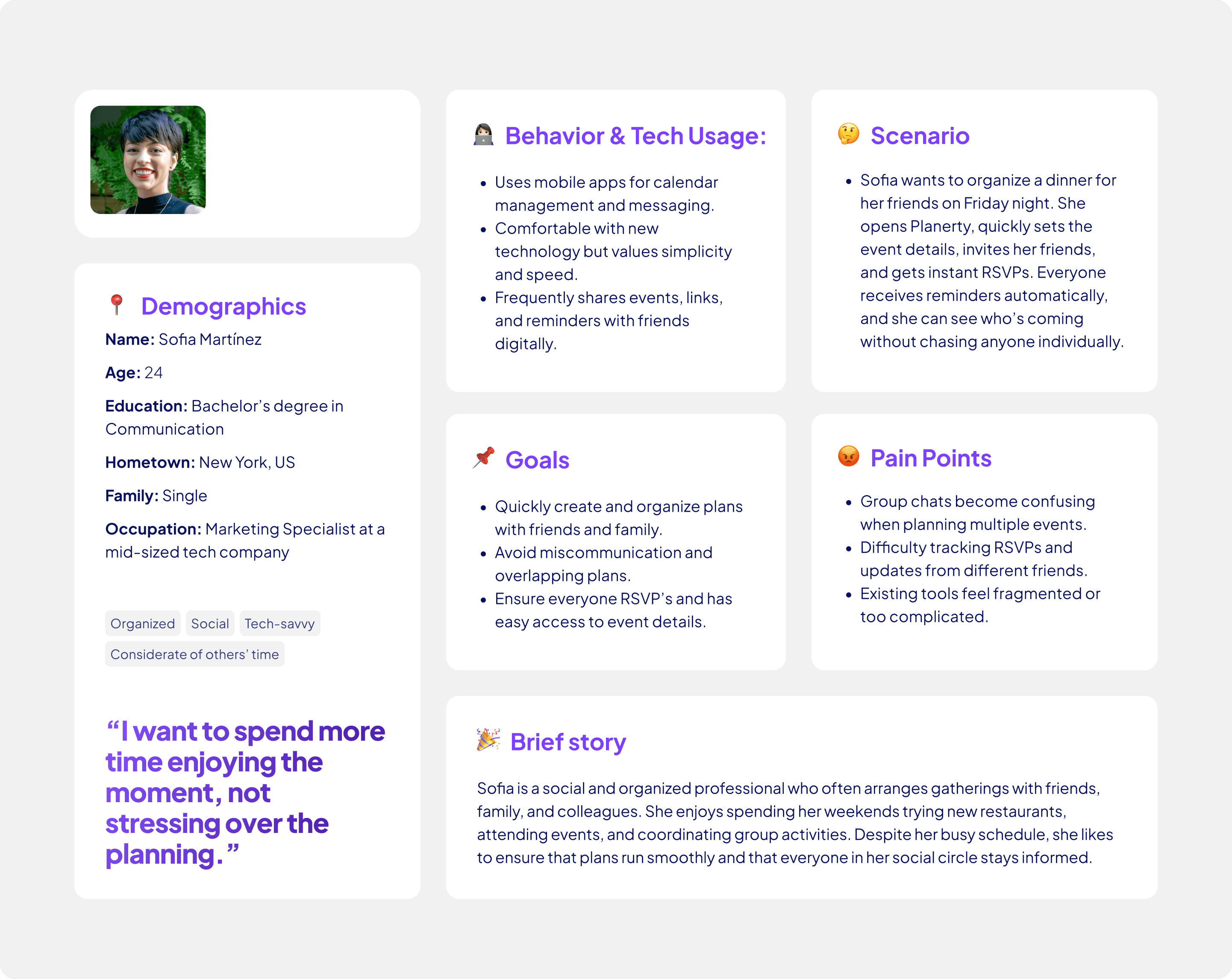
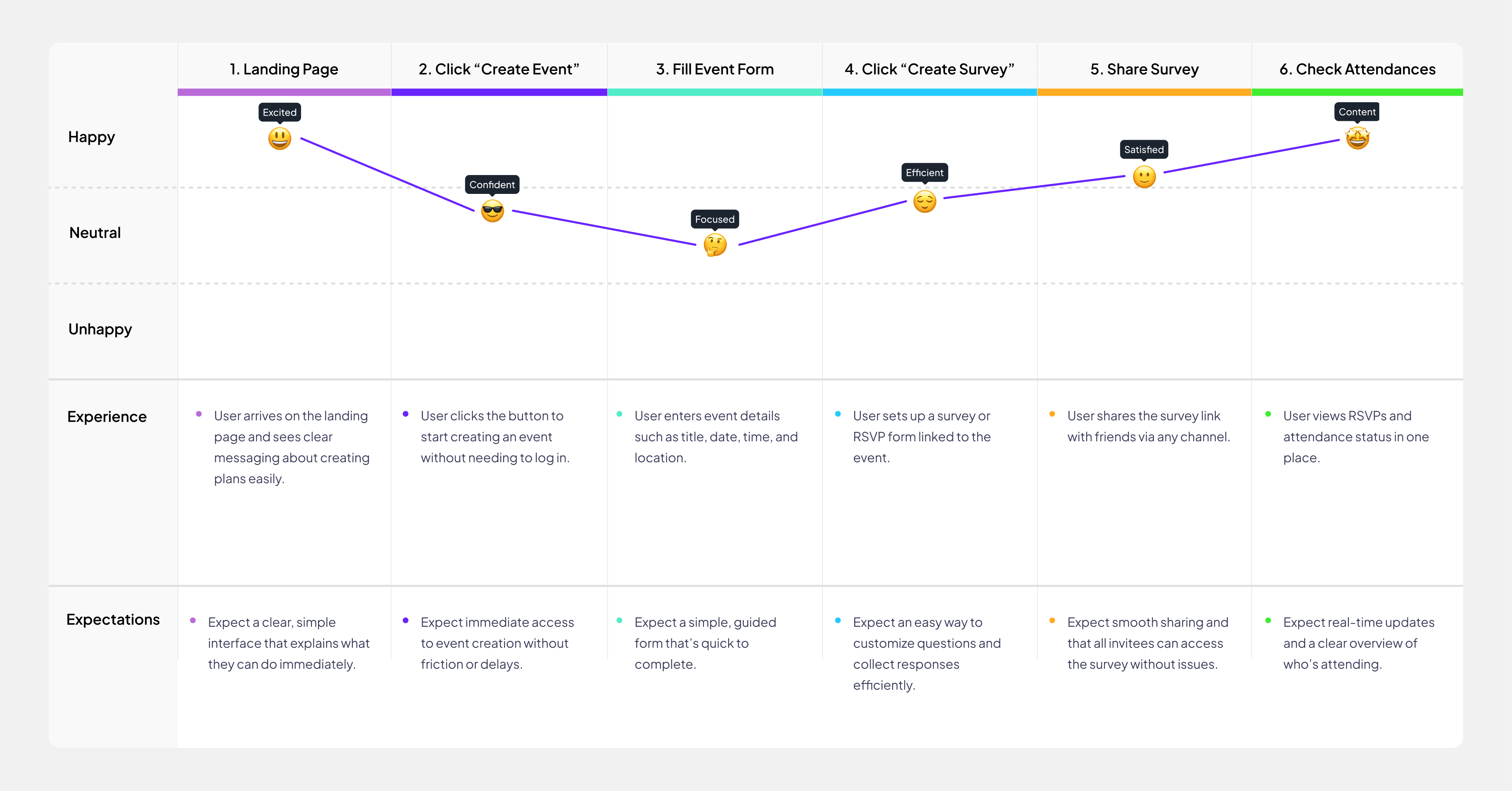
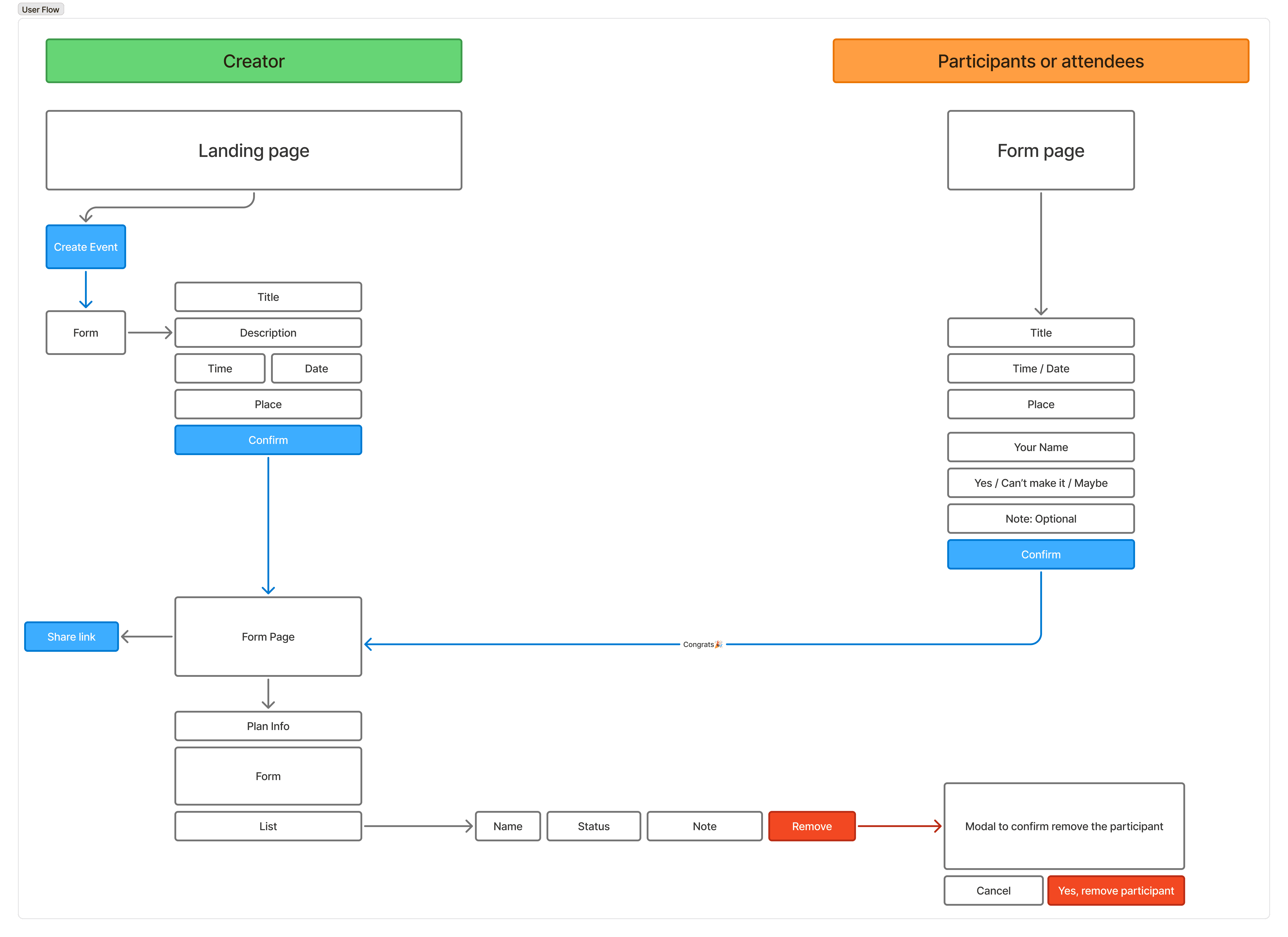
Before jumping into Figma, I start by creating a new FigJam file to map out the user flow. This helps me understand the decisions, options, and potential pain points users may encounter as they complete a task. This step is crucial because it creates a space for stakeholders, engineers, designers, and product managers to contribute ideas and align on the user flow.
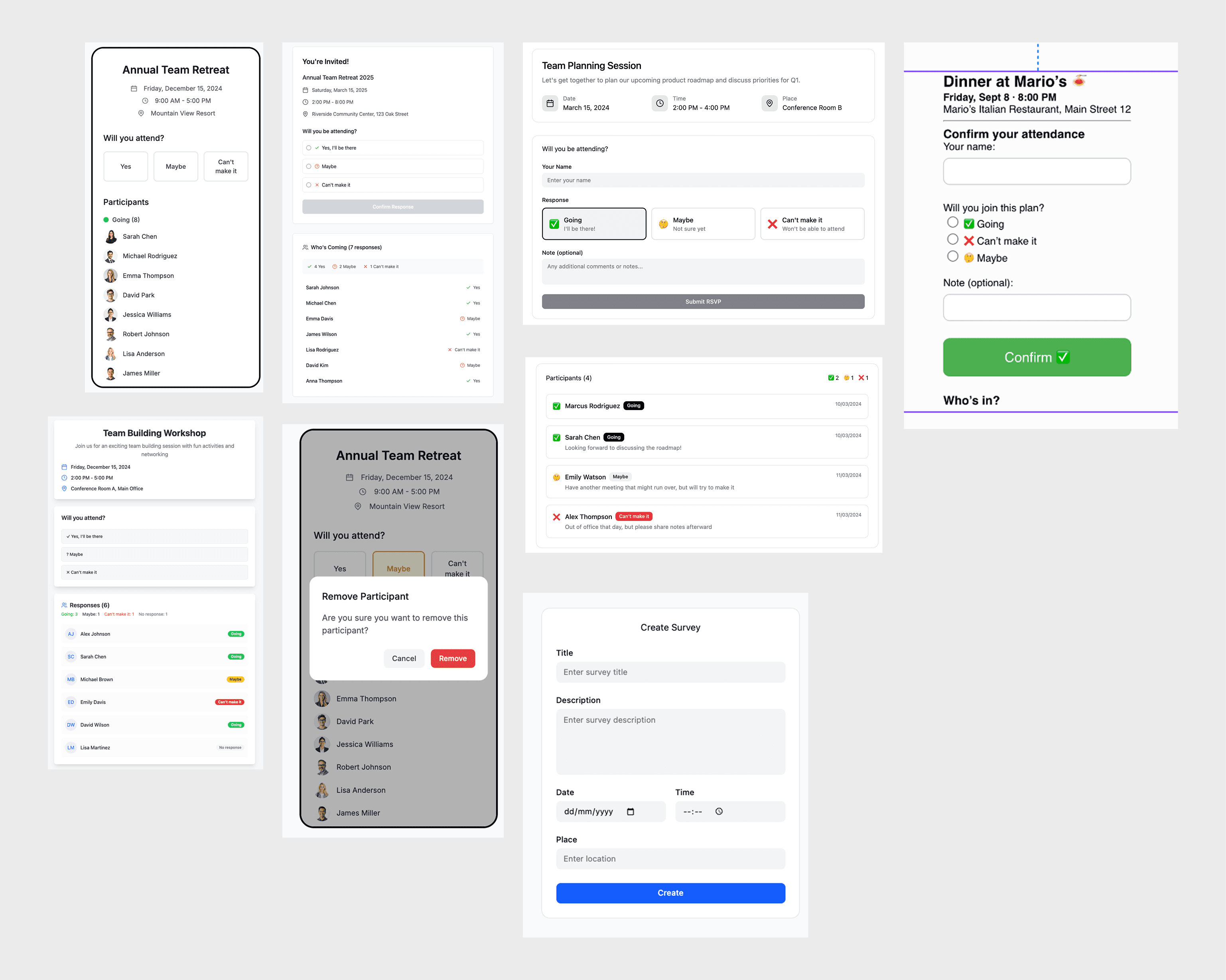
During my design process, I often research other apps and websites to gather inspiration and useful references. This helps me build a stronger sense of global UI/UX standards and design patterns.
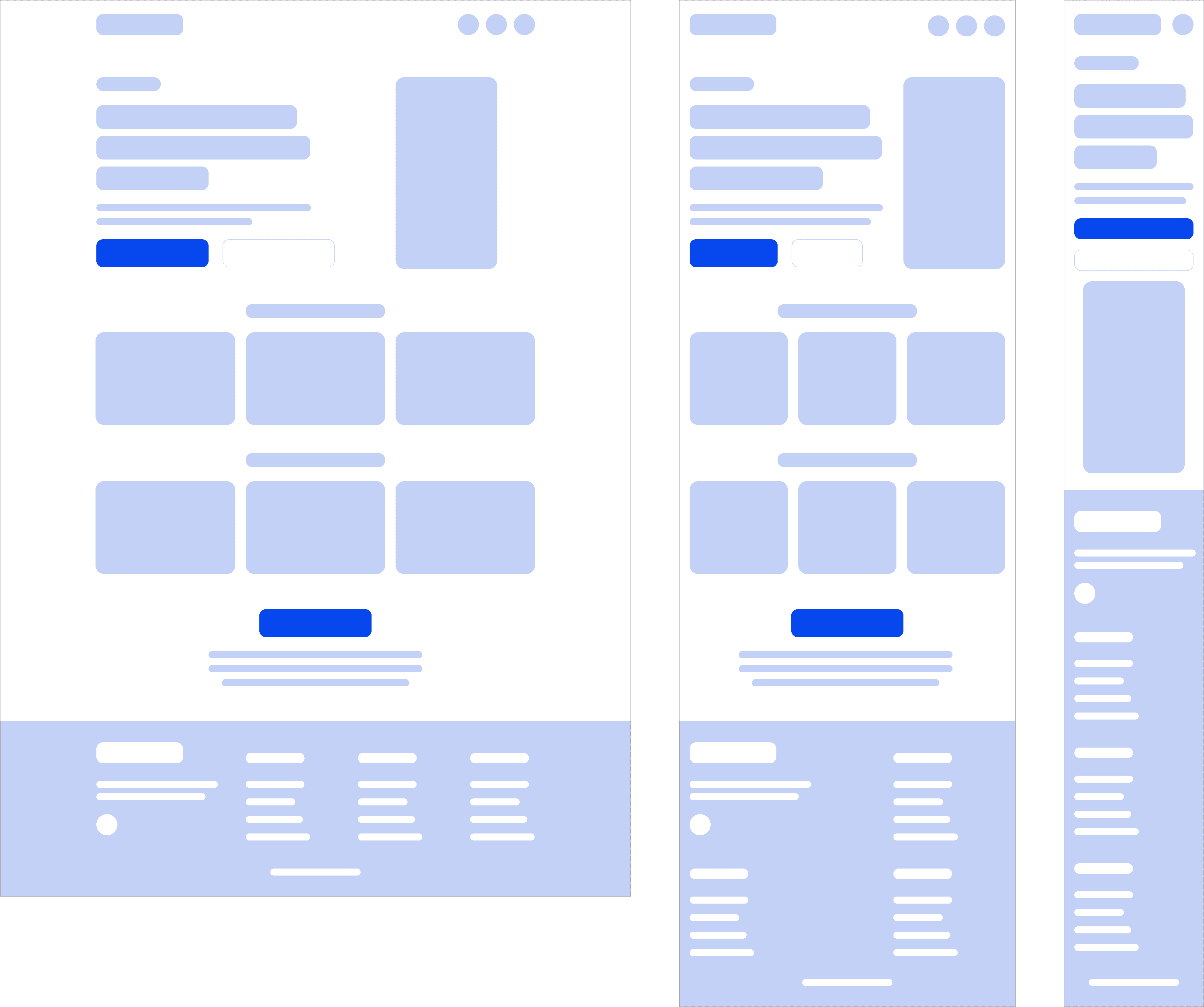
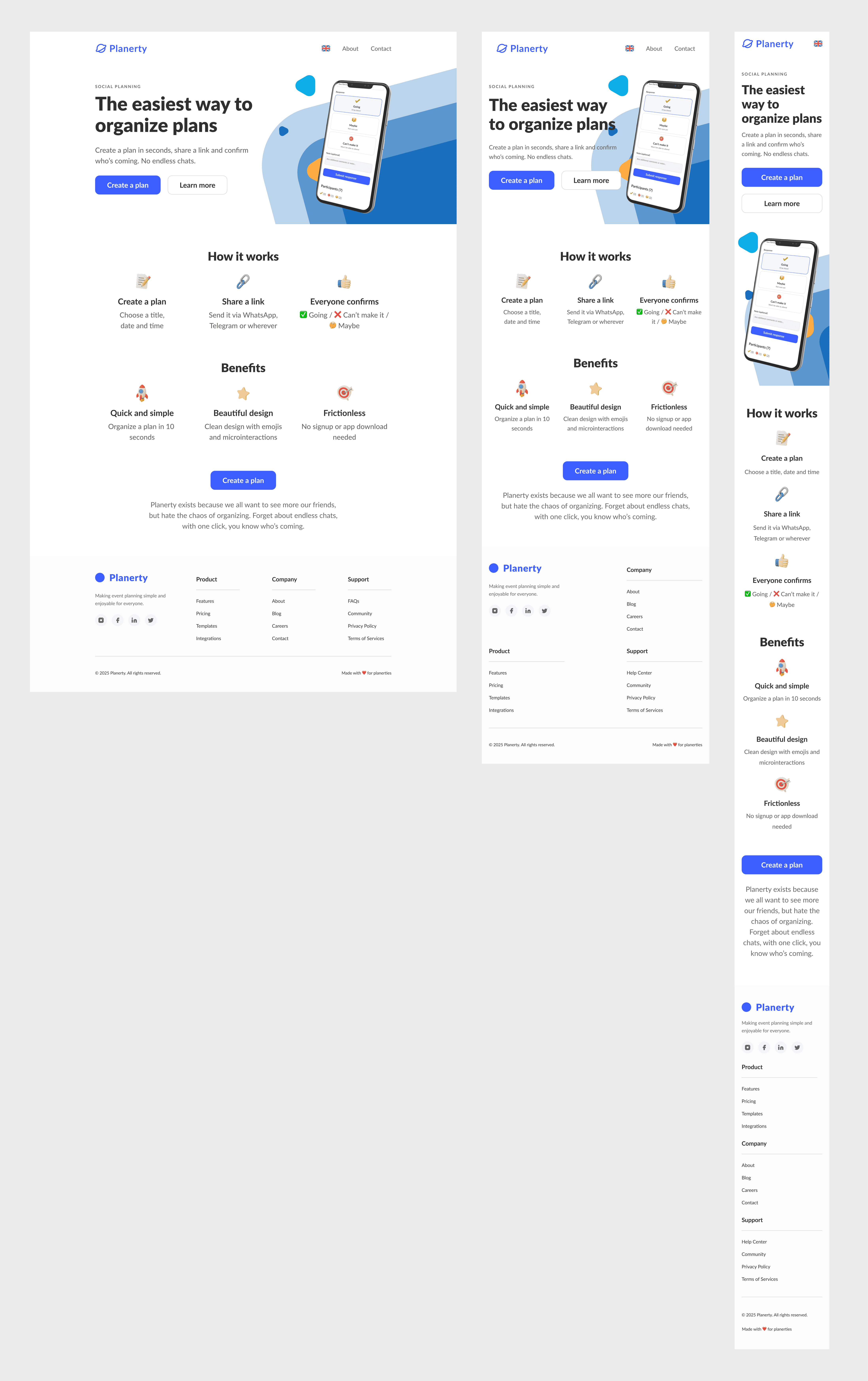
Landing page
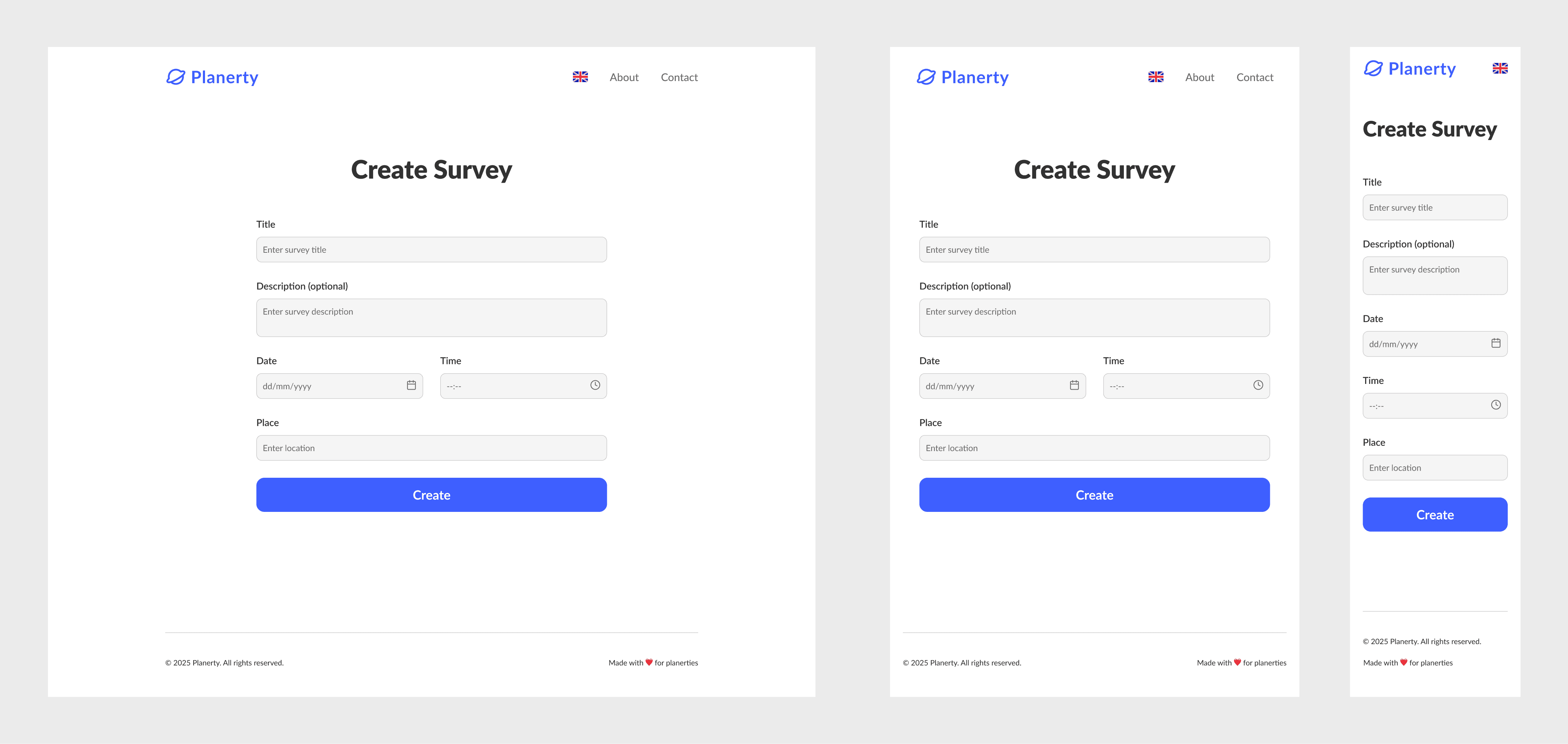
Create Survey
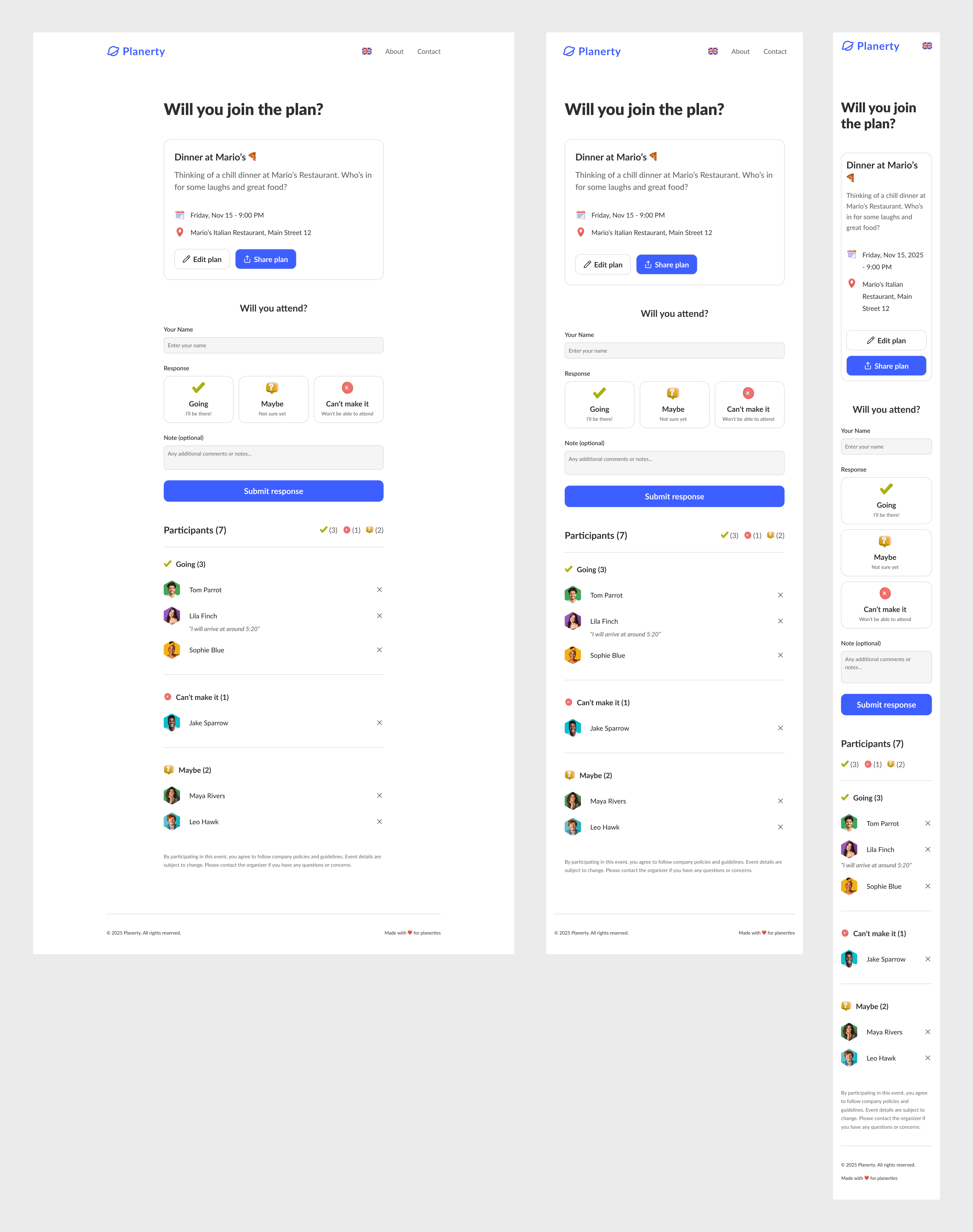
Join the plan
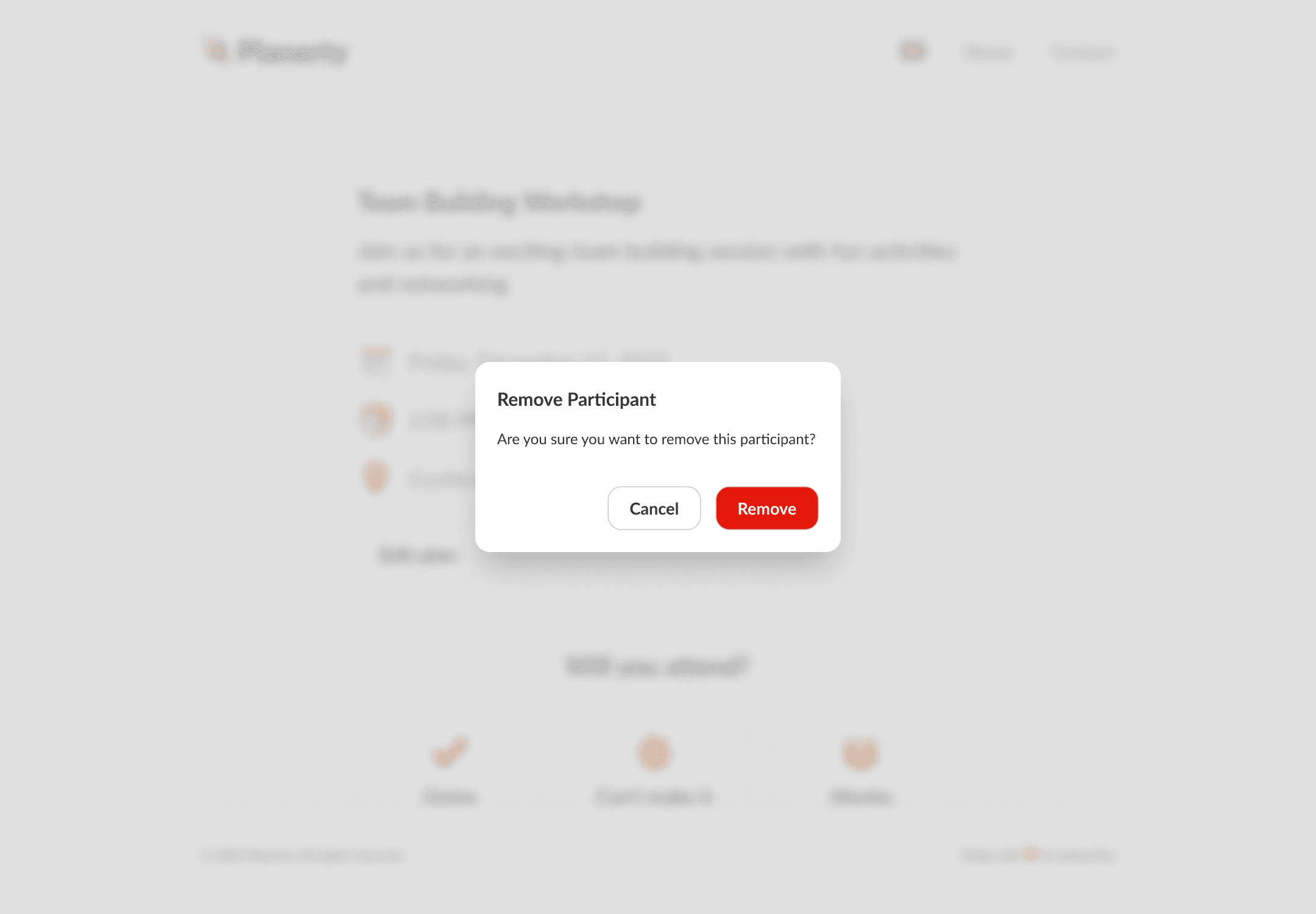
Remove a participant
An interactive prototype demonstrating how users can create a plan directly from the landing page. First, the user creates an event by filling out a simple form to share with friends. Next, a unique URL is generated for the event, displaying the newly created plan where invited members can respond to the invitation. They can choose from three options: Going, Maybe, or Can’t make it. When users submit their responses, their avatars appear in a list at the bottom of the page. Users can also update their responses or remove their attendance at any time.